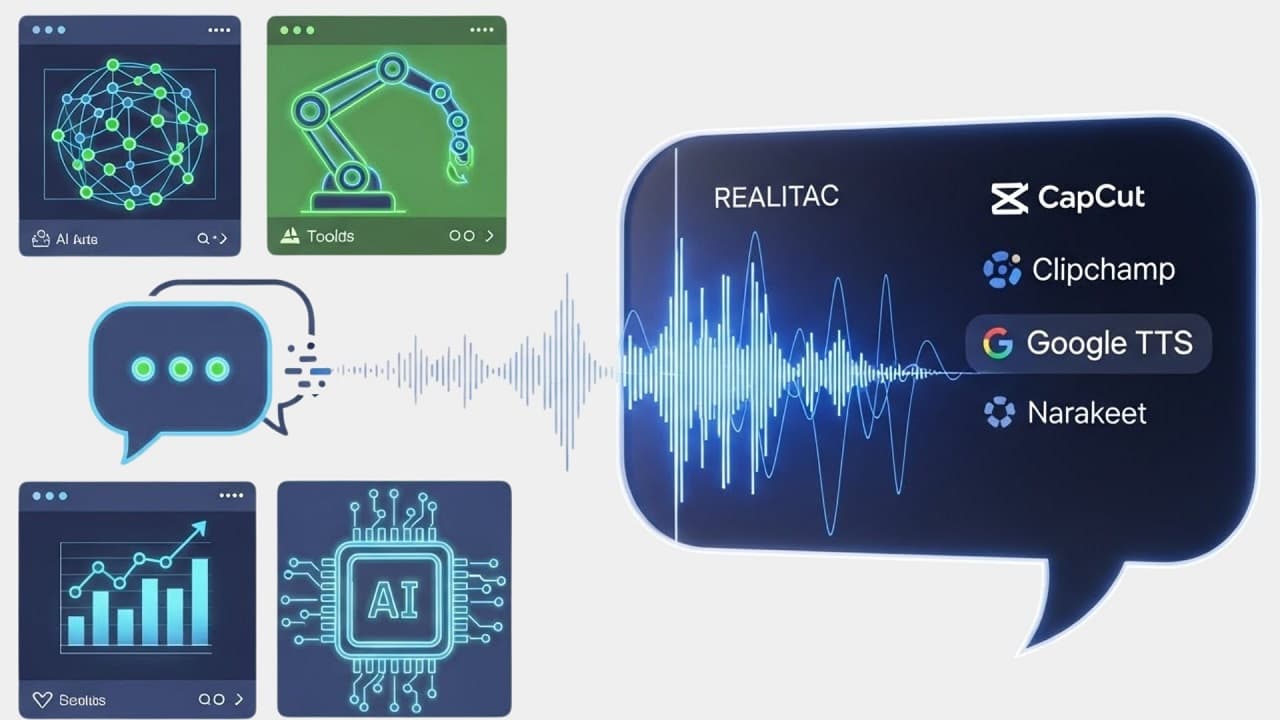
Creating polished video content is now simpler than ever, thanks to the growing availability of free AI tools to convert text into voice-overs for videos. Whether you’re a YouTube creator, marketer, teacher, or any type of digital storyteller, a strong voice-over can significantly boost audience engagement.
However, hiring professional voice artists often requires both time and a substantial budget. This is why modern, free AI voice generators have become a game-changing solution for creators.
In this in-depth guide, you’ll learn about the best free AI text-to-speech tools, their features, benefits, limitations, and how to choose the right one for your video projects.
Modern AI voice generators deliver realistic speech that sounds almost human. Using these tools gives you:
- Professional-quality narrations
- Significant time savings
- Zero equipment cost
- Consistent voice and tone
- Unlimited revisions
- Freedom to create content at scale
If you’re working on tutorials, reels, ads, explainer videos, or social media content, these free AI tools to convert text into voice-overs for videos can transform your workflow.
Top Free AI Tools to Create Voice-Overs from Text
Below are the top-performing tools offering natural-sounding, high-quality voice output without charging anything upfront.
1. Google TTS: Reliable and Free AI Voice Generator
Google’s TTS system is one of the most widely used free AI voice-over tools.
Key Features
- Supports multiple languages and accents
- Cloud-based API with fast processing
- Natural, smooth, clear voice quality
- Ideal for YouTube tutorials, training videos, and educational content
Pros
- Free for basic usage
- High reliability
- Easy integration
Cons
- Requires basic familiarity with the interface
Best For: Creators who want a free, stable, multilingual voice-over solution.
2. CapCut Review: Best Text-to-Speech for Quick Videos
CapCut provides an impressive built-in AI voice-over feature used heavily by TikTok and YouTube Shorts creators.
Key Features
- Simple interface
- Dozens of natural voices
- Real-time preview
- Integrated with video editing tools
Pros
- Very easy to use
- Fast results
- Free with no login required
Cons
- Limited customization options
Best For: Reels, Shorts, and TikTok video creators who want quick voice-over generation.
3. Clipchamp: Powerful Voice-Over Generator for Videos
Clipchamp by Microsoft is another excellent option offering high-quality free AI voices.
Key Features:
- Multiple voice styles (calm, energetic, narrative)
- Drag-and-drop editor
- Text emphasis and pause control
Pros
- Integrated video editor
- Microsoft-backed reliability
- User-friendly
Cons
- Requires Microsoft account
Best For: Business videos, training content, and presentation-style voice-overs.
4.Narakeet: Natural Voices for AI Voice-Overs
Narakeet is well-known for its studio-grade voice quality.
Key Features:
- 500+ voices
- Podcast-style narration
- Automatic subtitle feature
Pros
- Very realistic voices
- Easy script upload
- Supports long-form videos
Cons
Best For: Podcasts, documentaries, and long YouTube videos.
5. TTSMP3 Review: Simple Yet Effective Text-to-Speech Solution
TTSMP3 provides high-quality neural voices that sound professional.
Key Features:
- Downloadable MP3 voice-overs
- Voice speed and pitch control
- Large voice library
Pros:
- Free for daily scripts
- Simple interface
- Natural-sounding voices
Cons
Best For: Short voice-over tasks and social media videos.
6. VoiceMaker: A Powerful and Fully Customizable AI Voice Generator
VoiceMaker offers impressive customization options for creators.
Key Features:
- Emotion styles
- Breathing, emphasis, and whisper modes
- Multi-language voice support
Pros:
- More customization than most free tools
- Realistic output quality
Cons
- Advanced features require paid plans
Best For: Creators who want full control over voice tone and style.
Best Free AI Text-to-Voice Tools - Comparison
- Tool: Google TTS - Languages: 40+ - Free Limits: Generous - Best For: Tutorials & education videos
- Tool: CapCut TTS - Languages: 20+ - Free Limits: Free unlimited - Best For: Reels & Shorts
- Tool: Clipchamp - Languages: 30+ - Free Limits: Free basic - Best For: Business videos
- Tool: Narakeet - Languages: 50+ - Free Limits: Limited - Best For: Documentaries & podcasts
- Tool: TTSMP3 - Languages: 20+ - Free Limits: Limited - Best For: Short scripts
Key Statistics Showing Why AI Voice-Overs Are Growing Fast
According to industry data:
- Over 65% of creators now use AI text-to-speech for video content.
- AI voice-over market expected to reach $3 billion by 2028.
- AI-generated audio reduces production time by 90%.
This rapidly growing demand proves how essential free AI tools to convert text into voice-overs for videos have become for modern creators.
Pros & Cons of Using Free AI Text-to-Voice Tools for Videos
Pros
- Completely free for beginners
- No need for recording equipment
- Instant results
- Suitable for all content types
- Easy to repurpose scripts
Cons
- Some voices may sound robotic
- Limited customization in free versions
- Daily usage limits on certain platforms
How to Pick Right Free AI Text-to-Voice Tool (Simple Guide)
- Identify Your Video Type: Explainer, reels, tutorials, ads, or presentations.
- Choose Voice Style: Male, female, robotic, soft, storytelling, or energetic.
- Check Free Usage Limits: Some tools allow unlimited use, while others restrict characters.
- Test Multiple Voices: Try at least 3–4 platforms and compare output quality.
- Download in High Quality: Always export voice-overs in MP3 or WAV format.
Best Real-World Uses for AI Voice-Overs
- YouTube video narrations
- Social media marketing
- Online courses
- Corporate presentations
- Animated videos
- Product demos
- Educational content
Top On-Page SEO Tips to Improve Voice-Over Video Visibility
- Use your target keyword in video title
- Optimize description with LSI keywords
- Add accurate captions
- Include the AI voice-over tool name in tags
- Upload engaging thumbnails
Top FAQs - Convert Text Into Voice-Overs for Videos
1. What are the best free AI tools to convert text into voice-overs for videos?
Top tools include Google TTS, CapCut, Clipchamp, Narakeet, TTSMP3, and VoiceMaker.
Narakeet and Google’s Neural TTS offer highly human-like voices.
Voice-overs usually have no watermark, but video editors might.
Conclusion - Free AI Tools to Convert Text Into Voice-Overs for Videos
The world of content creation is evolving rapidly, and free AI tools to convert text into voice-overs for videos have become essential for modern creators. From YouTube channels to business presentations, these tools help you produce professional narrations with zero cost and minimal effort.
If you want to streamline your workflow, boost productivity, and enhance your video quality, start experimenting with the tools mentioned in this guide.
Mock Interview AI Free vs Paid Which Is Better?

 Malik
Malik
 Ahmad
Ahmad